

Ultimate Subnautica 2 Multiplayer Guide: 7 Best Co-op Tips
Welcome to the ultimate Subnautica 2 Multiplayer Guide. Subnautica 2 launched in Early Access on May 14, 2026, on PC and Xbox Series X|S. The game costs $29.99, though this price will rise when the full version launches in two to three years. All updates during the Early Access period are included in this initial purchase price.
If you are diving into the oceans of planet Proteus, doing it with friends completely changes the dynamic of the game.
Subnautica 2 Multiplayer Guide: Core Systems and Features
The game is set on planet Proteus, a new alien ocean world. Like the previous games, you are dropped into an aquatic environment with no map and few instructions. Survival requires gathering resources, crafting equipment, building bases, and exploring deeper water.
💡 New Systems and Features
- Four-Player Co-op: The game supports native online co-op for up to four players with crossplay between PC and Xbox. You do not need mods to play together. The entire game can also be completed solo.
- DNA Modification: You can scan local wildlife to collect genetic samples and apply biological upgrades to your character. For example, scanning Angel Combs allows you to cure Digestive Incompatibility early, letting you safely eat native food sources.
- The Tadpole Submersible: This new early-game vehicle replaces the Seamoth from the first game. It helps you travel quickly and reach depths inaccessible on a single tank of oxygen.
- Updated Base Building: The building system is more flexible than the modular structures of previous games, allowing you to design and customize bases with fewer layout restrictions.
- Ocean Currents: Dynamic water currents can push your character across the map, helping you travel long distances or pulling you off course if you do not pay attention.
- The Collector Leviathan: This predator is highly aggressive. Unlike previous leviathans, it will actively pursue you even after you leave its home territory.
Planet Proteus: Map and Biomes
A crucial part of any comprehensive Subnautica 2 Multiplayer Guide is understanding the environment. The playable area at launch covers two main regions containing ten biomes and sub-biomes, reaching depths of 200 meters. The developers plan to expand the map with deeper zones in future updates. The world is entirely handcrafted rather than procedurally generated, meaning resource locations and biome boundaries are identical in every playthrough. You must navigate using physical landmarks, compass directions, and deployable beacons.
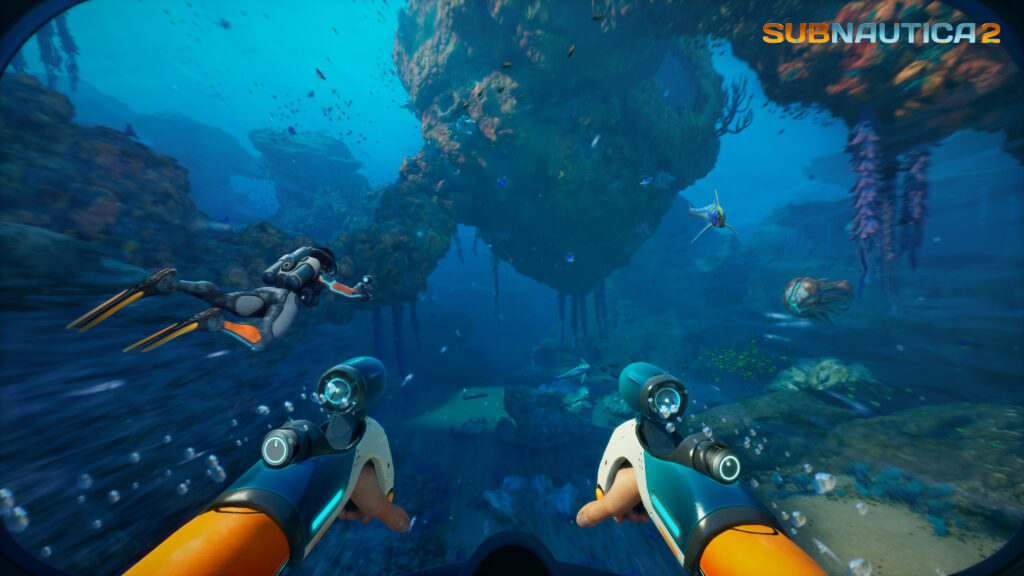
Launch Biomes
- Start Zone: The shallow, safe area where you begin the game. The seafloor and the caves directly beneath your Lifepod contain plenty of Titanium and Copper.
- Coral Gardens: A shallow reef area that contains two sub-biomes: the Graveyard Spires and the Dolerite Spires. It is an important area for early crafting materials.
- Sparse Plains: A wide, open sandy region with clear visibility. This area is easy to navigate once you build the Tadpole submersible.
- Thermal Spires: Large rock chimneys rising from the seabed. This area contains mid-tier resources that do not appear in the shallower biomes.
- Kelp Forest: A new version of the kelp environment from the original game, populated by different plants and animals.
- The Void: The deep, empty edge of the current playable map. It contains no resources and is patrolled by dangerous leviathans, marking the temporary boundary of the Early Access world.
How to Play with Friends
Multiplayer sessions are hosted by a single player. The host holds the save file on their local machine, meaning the world state, base structures, and completed objectives are tied to that player’s account. There are no dedicated servers at this stage of Early Access.
Connection Rules
- Up to four players can play in a single session.
- The game only supports online play; there is no split-screen option.
- Players can join or leave a session at any time without disrupting the host.
- Full crossplay is supported between Steam, Epic Games Store, Windows Store, and Xbox Series X|S.
- Every player must own a copy of the game or have an active Xbox Game Pass subscription
Hosting and Converting Saves
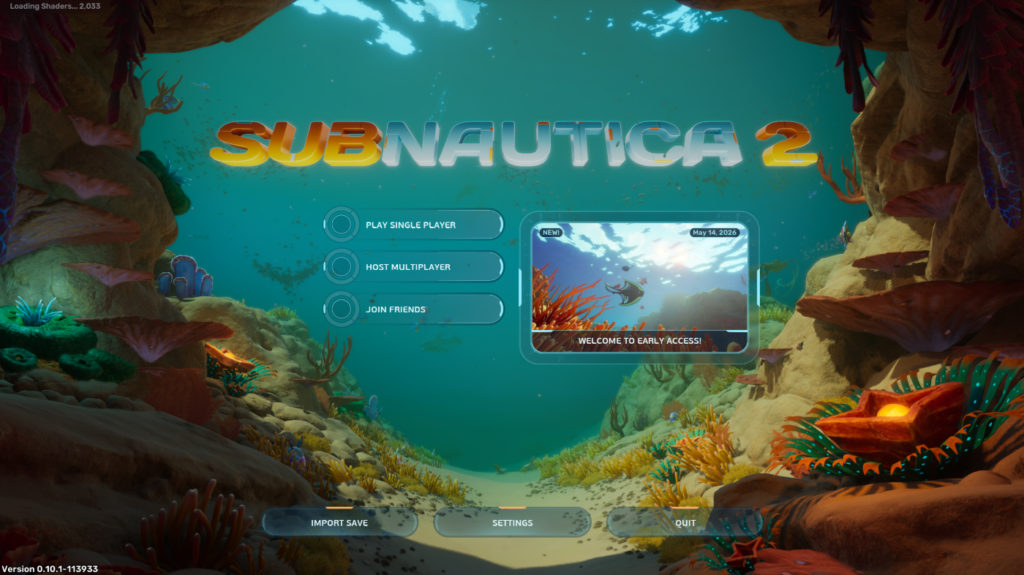
To host a game, select Host Multiplayer from the main menu, click Host New Multiplayer Game, and choose your mode: Survival (managing oxygen/hunger/thirst) or Creative (unlimited resources). Once loaded, open the pause menu and invite via your Friends List.
If you started the game in single-player, you can invite friends without starting over. Select Play Single Player, choose your save, and select Convert to Multiplayer. All your progress carries over, and you can revert to single-player at any time.
Cross-Platform Invites and Finding Teams
Because the game uses an internal friends list, you must use a friend code to connect with players on other platforms.
- The joining player selects Join Friends from the title screen.
- Click Generate Code to receive an eight-digit code.
- Share this code with the host.
- The host enters this code in their Add Friend field.
If you don’t have a dedicated squad yet, you can easily find reliable players and build your community using dedicated LFG ecosystems like GameTree LFG Bot to match with like-minded survivalists.
Multiplayer Rules and Performance
No Subnautica 2 Multiplayer Guide would be complete without covering how progression is handled between players.
- Inventory Persistence: A guest player’s inventory, position, and upgraded equipment are saved directly inside the host’s save file. You cannot transfer this character to a different host or single-player save.
- Friendly Fire: Disabled in the launch build. You cannot damage your teammates, making close-quarters building safer.
- Host Performance: Because sessions are player-hosted, the host’s PC does the heavy lifting. The host should ideally be the player with the fastest internet connection and the strongest hardware to prevent rubberbanding.
What is Shared in Co-op?
To make team play easier, some systems are shared across the group, while individual progression remains separate.
| System | Shared or Individual? | Details |
| Blueprints | Shared | When one player scans a fragment, the blueprint unlocks for everyone. |
| DNA Upgrades | Individual | Genetic adaptations and physical upgrades must be acquired individually. |
| Story Logs | Shared | Scanned data, black boxes, and mission updates progress for the whole lobby. |
| Inventories | Individual | Items in your personal inventory are yours alone and do not sync. |
| Bases & Storage | Shared | All players can build, modify, and take resources from storage chests. |
| Equipment | Individual | Tools and armor must be crafted or handed over manually. |
| Vehicles | Shared | Anyone can drive any crafted submersible. |
| Scanner Stations | Shared | Marked resource pins show up on every player’s compass. |
Note: Because all base storage is shared, anyone who joins your game can take your stored items. Only invite players you trust!
7 Best Tips for Co-op Teams
If you want to survive Proteus, keep these seven strategies from our Subnautica 2 Multiplayer Guide in mind:
- Assign Roles Early: Because blueprints are shared, divide labor. Have one player collect Titanium, another gather Copper, and a third look for Silver.
- Help New Players: When a friend joins, they spawn with an empty inventory. Craft them basic tools and a high-capacity oxygen tank immediately to help them catch up.
- Build Multiple Submersibles: Sharing one Tadpole slows down exploration. Build two or three vehicles so players can explore different biomes simultaneously.
- Use Scanner Stations: Use the station to mark specific resources. These marks appear on your teammates’ compasses, streamlining resource runs.
- Organize Shared Storage: Since storage is universal, create clearly labeled lockers for specific resources to avoid inventory clutter.
- Coordinate Base Expansions: Avoid building over each other. Plan your base layout together so you have enough power to support multiple fabricators running at once.
- Stick Together in Deep Water: When exploring the edges of the map or facing the Collector Leviathan, traveling in a convoy makes it easier to recover a teammate’s dropped inventory if they die.
Early Access Roadmap and Technical Issues
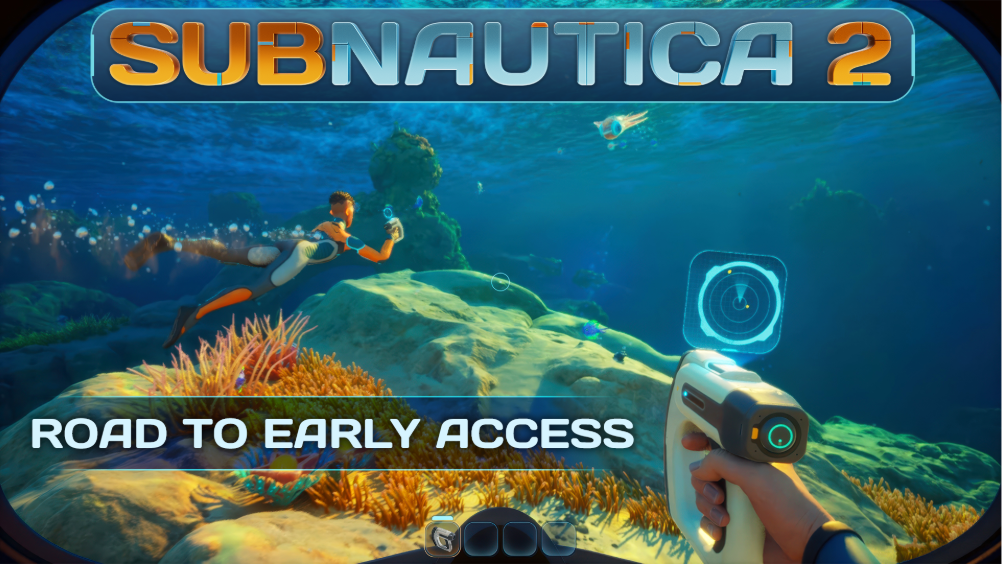
The developers at Unknown Worlds plan to update the game regularly.
- EA 1.1 (Quality of Life): Improvements to Biomods, new “Blight” encounters, wreck exploration, vehicle docking, and a sprint mechanic.
- EA 1.2 (Co-op Centric): Upgrades to HUD signals, in-game voice chat, character emotes, player trading, and a revive mechanic.
- Dedicated Servers: The team is evaluating dedicated server support for a future update. Peer-to-peer hosting is currently the only method.
Known Issues
As an Early Access title, expect a few bumps in the road:
- Performance Drops: Mid-range GPUs may stutter between biomes. High memory usage is common on systems with 16 GB of RAM when building large bases.
- No FOV Slider: The launch version lacks a Field of View setting, occasionally causing motion sickness.
- Communication: There is no in-game voice chat until EA 1.2, so you must rely on external platforms like Discord.
We hope this Subnautica 2 Multiplayer Guide helps you and your crew conquer the depths of planet Proteus. Good luck out there!