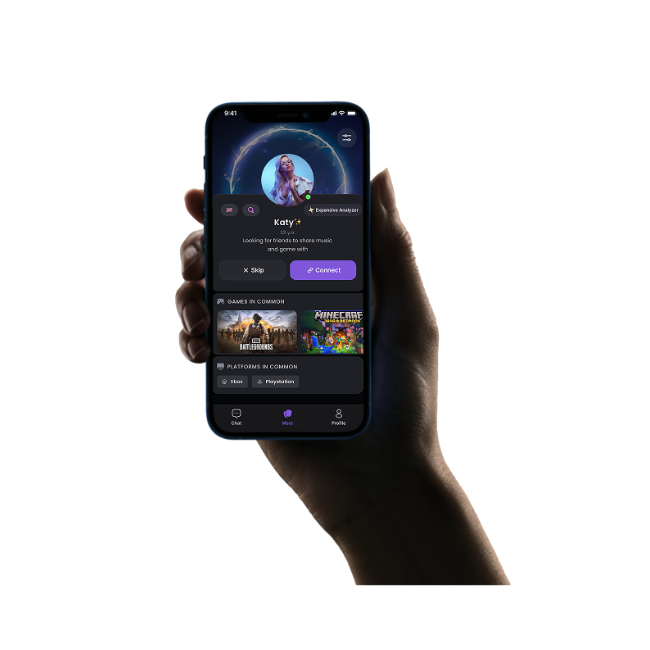














GameTree is a matchmaking layer for Marvel Rivals players, not a giant list of names to scroll through. It asks a few questions about how you play, then works out who you fit with. Rank matters, playstyle matters, and platform matters, since a Duelist who solo-queues Diamond wants a different teammate than someone flexing Strategist in a five-stack.
The bot handles the introduction. It does not run your matches for you, and it does not replace the game’s own party system. It gets you to the point where you have someone worth inviting to that party in the first place. Once you are matched, you take it from there: add each other, group up, and queue.
Finding one good game with a stranger is fine. Finding the same three or four people who show up again next week is the actual win. GameTree is built around that second part. Once you have matched with players who play at your rank and your hours, you can keep the conversation going, plan a session in advance, and stop rebuilding a team from scratch every time you want to queue competitive.
That matters more in Marvel Rivals than in most shooters, because party size in ranked is capped by rank, which means a squad you have already built is worth protecting rather than reshuffling every session. More on those caps below.
Most LFG tools are static: a name, a rank, maybe a "looking for group" post that scrolls off a subreddit in an hour. GameTree keeps working after the first match. It remembers who you played well with, resurfaces people at your rank when you are free again, and treats finding a squad as an ongoing thing rather than a one-time search. Jump into the Discord server and it starts working immediately.
What our users say
Lightning-fast matchmaking with GameTree! "I just got into gaming, but my friend who's really into it told me how to find Marvel Rivals players. I wanted to try out the game with other Marvel fans, so he suggested using GameTree. It turned out to be an awesome app! I signed up, checked out the huge playerbase, and actually found five people to join my team. So, if you can't find other players for Marvel Rivals, use GameTree!"
Impressive voice chat for super teamwork! "I started using GameTree a couple of weeks ago, and I gotta say, it's hands down the best app for finding people to game with! My favorite part is the voice chat feature, which is perfect for playing on my Xbox One. I can talk to my team without having to type anything. It's super convenient for team games!"
I will never play alone with GameTree! "It's crazy how much my team and I have in common! A few days ago, I was saying I couldn't find a match in Marvel Rivals. But then I tried GameTree, and I found a squad in seconds! It's not just about playing together; I get to join cool events and dive into some fun game discussions. I'm never bored anymore!"


LFG stands for looking for group, meaning a player is actively searching for teammates rather than queueing solo. In Marvel Rivals specifically, it usually shows up when someone wants a set squad for ranked instead of relying on random matchmaking.
LFG tool, team finder and player finder all describe the same need: finding people to play Marvel Rivals with instead of soloing. A subreddit post or a scattered Discord message only reaches whoever happens to scroll past it. GameTree matches you directly, using rank, playstyle and platform, so you are not waiting on luck.
Join the GameTree Discord server or open the web app and tell it your rank and what role you play. It matches you with people who fit rather than making you scroll a list yourself. From there you add each other in-game and queue.
GameTree is not built around formal clans, but it does the part that actually matters for one: connecting you with players who show up regularly at your rank, so a group you build through it can turn into a standing squad if you want it to.
Marvel Rivals lets you send friend requests through its own party menu once you already know who to add. GameTree solves the step before that, matching you with players at your rank and playstyle so the friend requests you send are ones worth keeping.
Yes. Once you have formed a party through the game's friend system, you can queue placement matches together the same way you would any ranked match, as long as your party fits the size and rank-gap rules for competitive play.
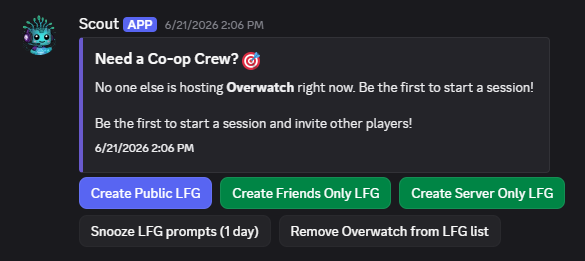
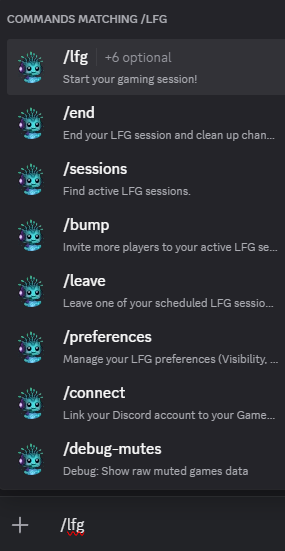
The GameTree Discord server is open to join and the bot starts matching you as soon as you arrive. If you already run a server of your own, the Discord LFG bot adds the same matching to it, so your members can find each other without leaving the server they are already in.
Yes. Joining the Discord server, using the bot, and using the web app all cost nothing. The iOS and Android apps are also free to download.
No. The Discord bot and the web app both work without installing anything. The iOS and Android apps exist for players who want matchmaking built into their phone permanently, but they are not required to get started.
Random queue gives you whoever else clicked search at the same time. GameTree matches you by rank, playstyle and platform first, so the teammates you get are ones who actually fit how you play, not just whoever was free.