












There is a difference between dropping into a public server and playing with someone GameTree matched you with. A random player on a public server might grief your build, ignore voice chat, or vanish after ten minutes. GameTree matches you against playstyle and platform preferences you set, so the people you are paired with actually want the kind of Minecraft session you want, whether that is a relaxed creative build, a hardcore survival world, or a redstone project that needs a second brain.
Finding people once is only half the job. GameTree also helps you keep a session going. Sign up, get matched with like minded gamers, and start playing and enjoying Minecraft together, then use GameTree to schedule the next one instead of losing the group when everyone logs off. That matters more in Minecraft than in most games, because a shared world only stays interesting if the people building it keep showing up.
Looking for group in Minecraft has traditionally meant posting in a subreddit or a giant Discord server and hoping the right person happens to scroll past your message at the right moment. GameTree replaces that with matching. You tell it what you want, and it finds people who want the same thing, on your edition, on your platform, at a time you are actually online. It works whether you want one reliable building partner or a small crew for a long term survival world.
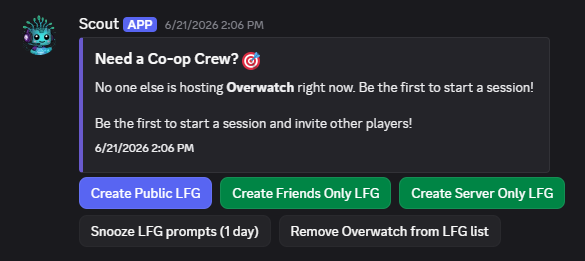
Getting started takes three steps. Sign up through the GameTree app or Discord bot. Match with like minded gamers based on the preferences you set. Start playing and enjoy Minecraft together. No lengthy application, no waiting for a moderator to approve you into a server. You can be matched and in a voice channel within minutes of installing the Discord LFG bot. If you want to see exactly how the bot commands work before you install it, the LFG bot introduction walks through setup and the /lfg command in detail.
What our users say about us:
More Than Just Teammates! "I've not only found incredible teammates on GameTree but also lifelong friends. We don't just play Minecraft together; we discuss, strategize, and share our favorite gaming moments. GameTree truly bridges the gap between players and friends"
It's Free!! "This app is amazing, it has an awesome community and there are a ton of people who are down to have fun and connect with. The best part... the app is completely free!"
Cool off "I tried couple of LFG, and this is the one I found a good team and real friends."


LFG stands for "Looking For Group." In Minecraft it refers to any tool or community that helps players find others to team up with, whether that is for building, survival, or a specific project, so nobody has to play alone or hunt through public chats for teammates.
Not directly. Java and Bedrock use different networking and cannot join the same vanilla world. Server owners can install a third party tool called Geyser to let Bedrock players connect to a Java server, but there is no official Mojang feature that bridges the two editions on its own.
GameTree matches Bedrock players by playstyle, availability, and platform through its Discord bot and app. Type /lfg to start a session, or use the web app at app.gametree.me, and you will be matched with other Bedrock players looking for the same kind of game.
Yes. Because Bedrock crossplay already spans Windows, mobile, and console, GameTree's matching works across all of those platforms at once. You are not limited to finding players on your specific device, since Bedrock's crossplay covers Xbox, PlayStation, Switch, Windows, iOS, and Android together.
Install the GameTree Discord bot and type /lfg, or use the mobile app or web app, and GameTree will match you with players who share your playstyle and platform. It creates a private space for you and your match to talk and plan before you ever load into a world.
That is a more common search than you might think, and there is nothing wrong with typing it. Minecraft does not give you a built in way to meet new people, so most players end up finding teammates through a Discord community or a matchmaking tool. GameTree exists for exactly this, to match you with people based on how you like to play so you have someone to build or survive with.
Yes. The Minecraft matchmaking feature on GameTree is free to use, on Discord, on the web app, and on the mobile apps.
No. The Discord bot is one way to use GameTree, but the web app at app.gametree.me and the iOS and Android apps work on their own, without Discord installed.
GameTree is built specifically to find Minecraft players and turn matches into lasting friends, using personalized matchmaking based on playstyle and platform rather than a random public queue.
GameTree matches you privately instead of dropping you into a crowded server. You get paired with individual players or small groups based on your preferences, then move into your own voice channel to actually play, rather than competing for attention in a server with thousands of members.
Minecraft moved to year based version numbers in 2026. Java's current version is 26.2, called Chaos Cubed, and it added Java's first ever built in Friends List. Bedrock's current version is 26.34. Earlier in the year, the Tiny Takeover game drop added smaller updates across both editions. None of those updates added a way to meet new players, which is still the gap GameTree fills.
Yes. GameTree matches on how you actually like to play, so a player who wants a long running survival world is not put together with someone looking for a quick creative build. Tell it what you are after when you set up your profile.