






How to lower ping in games: 7 Best Fixes to Instantly Stop Lag
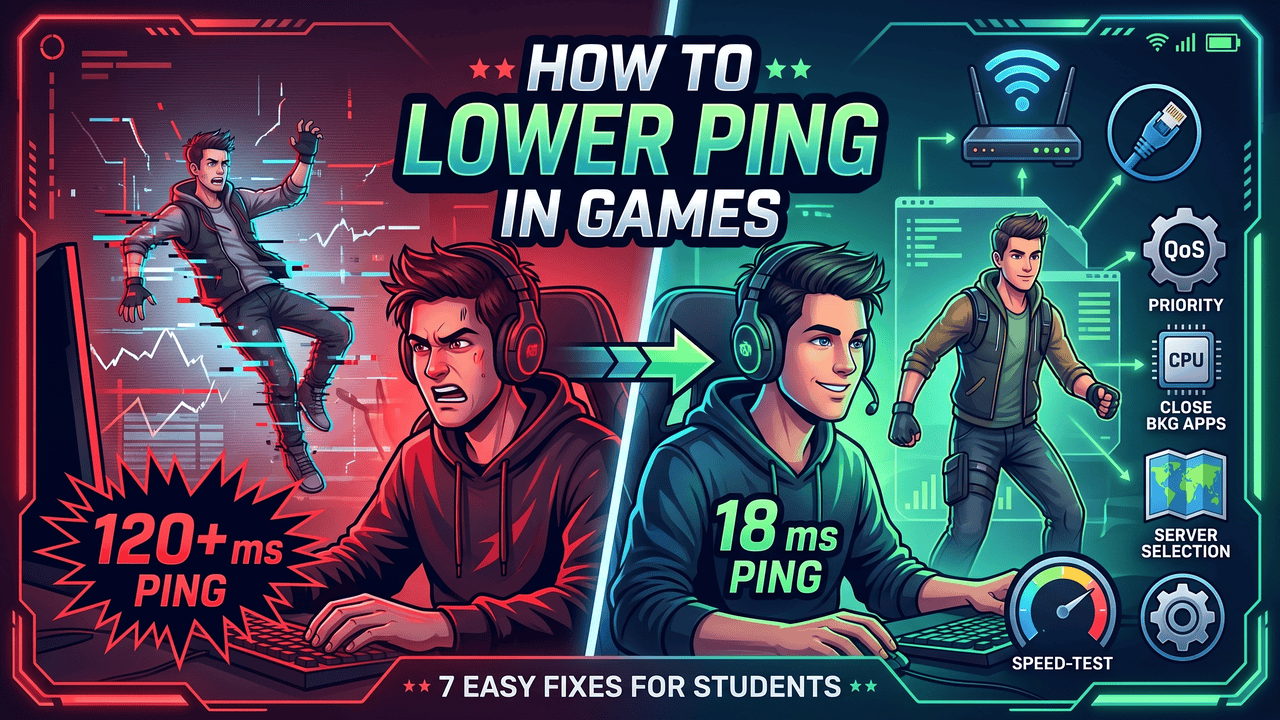
How to lower ping in games is a common question, because nothing ruins a clutch moment faster than a sudden lag spike freezing your screen. When you finally log on to unwind for the night, you expect your matches to run perfectly smoothly. Unfortunately, high latency remains a massive frustration for student gamers sharing crowded dorm networks.
If you are struggling to balance your gaming time with a heavy course load, you might even find yourself wishing you could pay someone to write an essay for me just to get a break. Luckily, fixing your internet connection takes a lot less effort than writing a term paper. You just need to know exactly which settings to change on your network and computer.
Every millisecond counts when you are trying to climb the competitive ranks after a long day of studying. By implementing a few simple hardware and software adjustments, you can completely eliminate rubber-banding and screen stutters. If you are wondering exactly how to lower ping in games, read on to discover the exact network settings you need to change. Understanding how to lower ping in games is the first step to securing a massive competitive advantage.
Understanding network latency and ping
Your ping measures the exact milliseconds it takes for your computer to talk to the game server. A lower number means your inputs register faster, giving you a massive competitive advantage over other players.
Figuring out how to lower ping in games first requires you to understand what numbers are actually playable. Professional players spend thousands of dollars to shave just five milliseconds off their response times. However, you do not need expensive gear to achieve a highly responsive connection.
Whether you are queuing solo or looking for a group on GameTree, maintaining a stable connection is vital for team-based games.
Average ping ranges and their impact on competitive gaming:
| Ping Range | Playability Level | Ideal Game Genres |
| 0 to 20 ms | Exceptional | Professional esports and fighting games |
| 21 to 50 ms | Great | Fast-paced multiplayer shooters |
| 51 to 100 ms | Acceptable | MMOs and casual survival games |
| 101 ms and above | Unplayable | Turn-based strategy games only |
Source note: Industry latency standards compiled from Riot Games and Valve developer blogs.
Quick router and connection fixes
The physical path your internet data takes is the biggest factor in determining your overall connection speed. You can instantly improve your gameplay by changing how your computer connects to the local network.
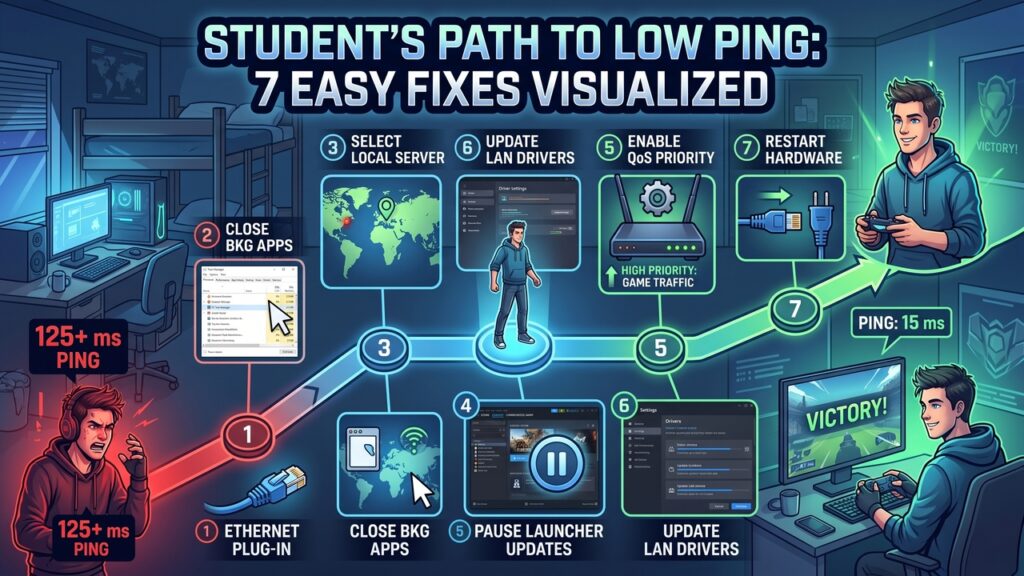
1. Switch to a wired Ethernet cable
If you are serious about figuring out how to lower ping in games, plugging your PC directly into your router is the single best way to stabilize your connection. Wi-Fi signals constantly bounce off walls and get interrupted by other wireless devices in your dorm.
A cheap Cat6 Ethernet cable will instantly eliminate most of your random lag spikes. Wireless connections suffer from severe packet loss when multiple students try to use the network at once. A physical wire creates a dedicated highway for your data that nothing else can interrupt.
Wi-Fi versus Ethernet performance benchmarks:
| Connection Type | Average Packet Loss | Susceptibility to Interference |
| 5GHz Wi-Fi | 1.5% to 3.0% | High |
| 2.4GHz Wi-Fi | 3.0% to 5.0% | Very high |
| Direct Ethernet | Near 0.0% | None |
Source note: Network stability data adapted from Cisco wireless networking reports.
2. Select the closest server region
Always force your game to connect to the server physically closest to your current location. If you go to college in New York but play on European servers, your data travels across an ocean.
This massive physical distance adds unavoidable milliseconds to your response time, whether you are grinding in World of Warcraft or trying to rank up in Rocket League. A major part of learning how to lower ping in games is ensuring you are locked into your local region, as automatic server selection can occasionally make mistakes. Double-check your in-game network settings to confirm your region.
3. Disconnect extra wireless devices
Your computer might be secretly downloading huge files in the background without you even noticing. Taking control of your PC’s network settings ensures your game gets absolute priority over everything else, which is a fundamental rule for how to lower ping in games.
To free up network bandwidth, temporarily disconnect unused smart TVs, voice assistants, and tablets. Removing these background devices will noticeably stabilize your connection during peak hours.
Testing your network speed can help identify bandwidth hogs on your local network.
Easy PC and software tweaks
Your computer might be secretly downloading huge files in the background without you even noticing. Taking control of your PC’s network settings ensures your game gets absolute priority over everything else.
4. Close background bandwidth hogs
When researching how to lower ping in games, many players overlook that outdated hardware drivers often cause unnecessary bottlenecks between your PC and your router. Manufacturers constantly release free software updates to fix hidden bugs and improve networking stability.
Before you launch a competitive match, always follow these exact steps to ensure maximum performance:
- Open your Windows Task Manager.
- Sort the active processes by network usage.
- Force close any non-essential apps and pause all active launcher downloads.
Common background applications and their bandwidth drain:
| Application Type | Average Hourly Data Usage | Impact on Game Latency |
| 4K video streaming | 7.0 GB | Severe |
| Cloud backup syncing | 2.5 GB | High |
| Discord voice chat | 40.0 MB | Minimal |
(Source note: Data consumption metrics based on Netflix and Microsoft OneDrive support documentation.)
5. Enable Quality of Service (QoS)
Log into your router’s admin dashboard and activate the Quality of Service (QoS) feature. This powerful setting allows you to prioritize your gaming computer’s traffic over other devices on the network.
Leaving your router and modem running for months can cause temporary memory leaks and slow down processing times. Unplugging your equipment for sixty seconds forces a complete system refresh and clears these digital traffic jams, acting as one of the fastest tricks for how to lower ping in games.
6. Update your network drivers
Outdated hardware drivers often cause unnecessary bottlenecks between your PC and your router. Manufacturers constantly release free software updates to fix hidden bugs and improve networking stability.
Unless your current network is completely saturated by other users, upgrading your plan is a waste of money and won’t actually solve the problem of how to lower ping in games. Instead, upgrading to a modern gaming router is a much better investment.
7. Restart your networking hardware
Leaving your router and modem running for months can cause temporary memory leaks and slow down processing times. Unplugging your equipment for sixty seconds forces a complete system refresh and clears these digital traffic jams.
Performing this simple hardware reset once a month keeps your network routing data as efficiently as possible.
Frequently asked questions
Even with a perfect setup, you might still run into some confusing network issues. Let us cover a few common questions students have about network performance.
Will buying a faster internet plan help?
Paying your internet service provider for a “faster” plan usually will not improve your latency at all. Bandwidth does not equal latency, meaning a 50 Mbps plan and a 1 Gbps plan typically have the exact same ping.
Unless your current network is completely saturated by other users, upgrading your plan is a waste of money. Instead, upgrading to a modern gaming router is a much better investment.
Do gaming VPNs actually work?
Gaming VPNs constantly run ads claiming they know how to lower ping in games by routing your traffic faster. In reality, adding a VPN usually just adds an extra physical stop for your data, which actually increases your latency.
You can use PingPlotter to trace your connection and see the delay for yourself. You should only use a VPN if your university actively blocks gaming servers on the campus network.
Does lowering graphics settings improve ping?
Lowering your graphics settings improves your frames per second, but it does absolutely nothing for your network latency. Ping is entirely dictated by your internet connection, not your graphics card.
You can play on the absolute lowest visual settings and still experience terrible rubberbanding. If you want to master how to lower ping in games, you must focus entirely on your network hardware and local router settings.