






How to Build a CS2 Loadout That Matches Your Squad’s Style
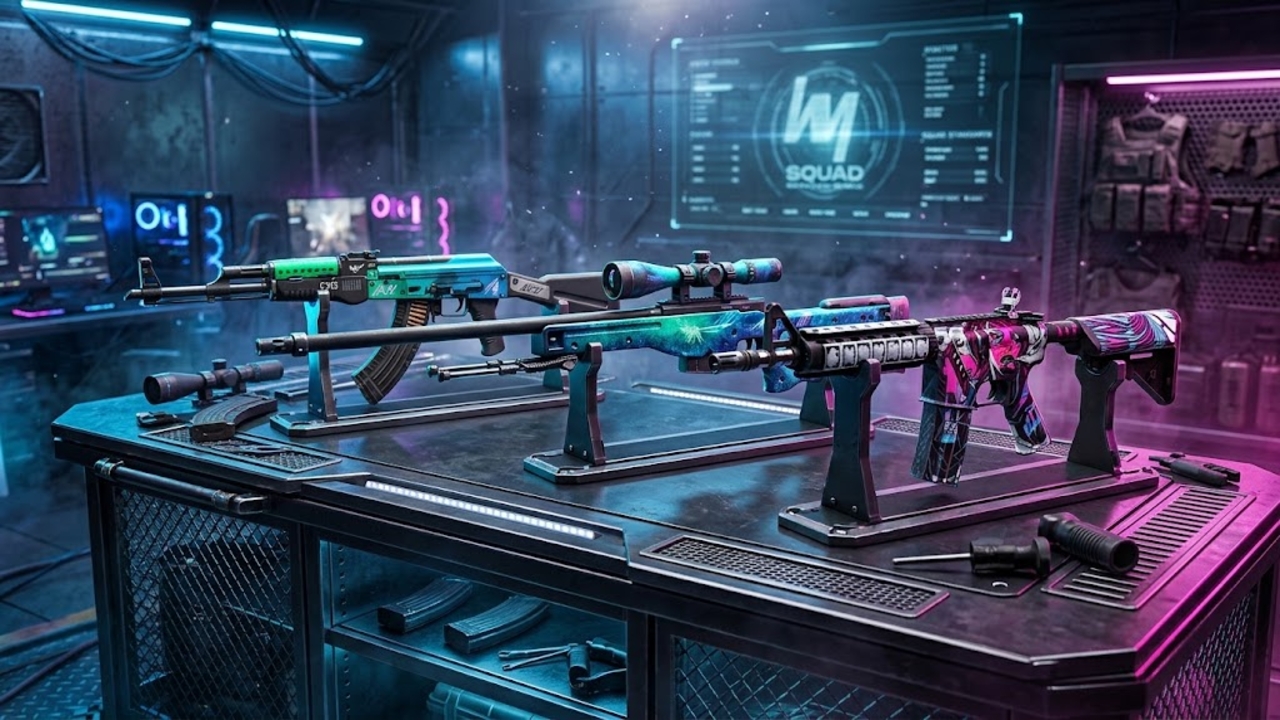
Someone in your stack loves black rifles. Your AWPer wants bright blue. Another teammate has a pistol covered in stickers that nobody can explain. Getting those inventories to look like they belong to the same squad takes a little discussion, but nobody needs to replace everything they own.
Start with a shared colour or a detail you all like, then browse a cs2 skins market to compare finishes for the weapons each person actually uses. On white.market, you can search by skin name and narrow the listings by price or exterior. That makes it easier to turn a vague idea into a shortlist everyone can afford.
A good squad loadout leaves room for individual taste. You should recognise the theme when you spectate a teammate, while still knowing whose gun you’re looking at.
Agree on a look before anyone spends
Drop a few reference images into your squad chat. Use skins people already own, or screenshots of finishes they like. Ask what draws them to each one. Someone might say blue and mean a dark navy rifle; someone else might be imagining a bright turquoise receiver.
Pick one clear rule. It could be cool colours on your main weapons, mostly black surfaces, or illustrated skins with pink accents. Keep it loose enough that five people can find something they enjoy.
Your squad’s habits can help you choose. A group that likes understated gear might prefer a restrained palette. Friends who trade ridiculous clips may enjoy bold artwork. Neither choice says anything about skill. Skins don’t change weapon damage or recoil, so choose the look you’ll enjoy through an ordinary evening of matches.
Start with the weapons you actually buy
Look at your own rounds before shopping. If you spend most full buys with an AK-47, start there. If you usually take the AWP, give that slot the attention instead. Buying a finish for a weapon you barely touch leaves the theme hidden in your inventory.
Then work on your other side’s main weapon and the pistol you use most. An M4A1-S player doesn’t need to switch to the M4A4 just because a teammate found an attractive M4A4 skin. Find another finish that carries the same colour or mood.
You can add the occasional force-buy weapon later. Leave knives and gloves for a separate decision once you like the basic set. Keeping the default versions is fine.
Set a budget for each player
Agree on spending limits privately if people would rather keep them to themselves. One teammate might want to spend $20 while another is comfortable with $80. Those are personal limits, not prices for the sets below.
Put a few alternatives beside each suggested skin. Players can choose different exteriors or use a simpler finish in the same palette. Nobody needs to buy a premium item to take part.
Also decide how much of your budget belongs to the first purchase. Leaving some unspent gives you room to change a pistol later, after you’ve seen the rifle during a few sessions.
Find a palette your squad can share
The following finishes had offers on white.market when checked for this guide. Treat them as starting points for individual inventories. Listings and prices change, and the screenshots show particular items rather than a fixed cost for each skin.
Blue and green for a cool colour theme
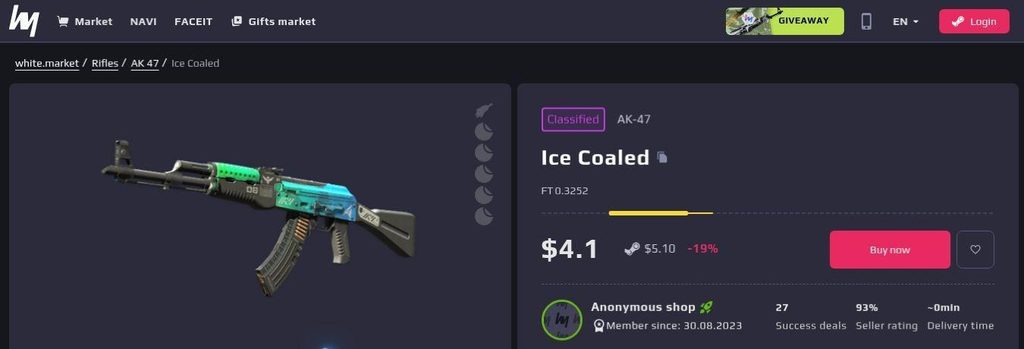
AK-47 | Ice Coaled gives a rifler a clear starting point. Its blue and green gradient covers enough of the weapon to make the palette easy to spot, with dark sections breaking up the colour. It works particularly well if your squad likes turquoise but doesn’t want every surface painted blue.
AWP | Ice Coaled lets a teammate carry the same finish name on a different weapon. That gives your AWPer a direct connection to the rifle players without asking them to prioritise an AK skin they rarely use. Compare the two previews before buying, since the artwork sits on very different shapes.
Keep the rest of the inventory within a broad blue or teal range. A pistol can be darker than the rifle and still look related. If your group wants more alternatives for the remaining slots, white.market’s blue CS2 loadout guide covers finishes across weapon categories, plus options for knives and gloves.
Black and metal for a restrained setup
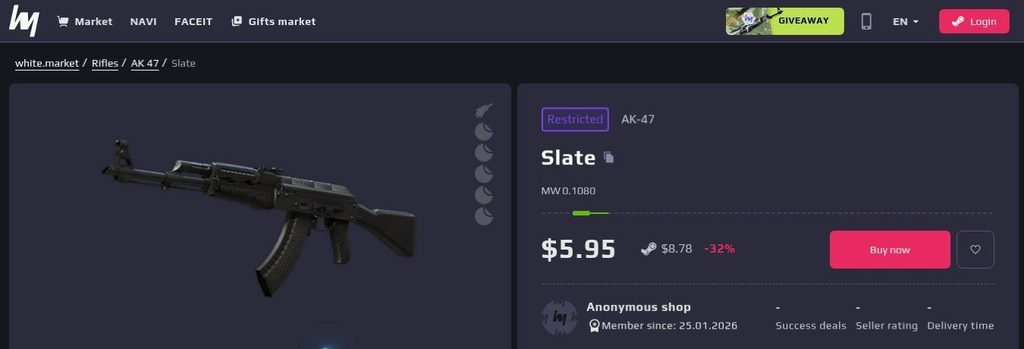
AK-47 | Slate is useful when your squad wants a dark base. Its black finish keeps the silhouette easy to read and gives players room to add their own sticker choices later. You can also leave it completely plain if that suits your inventory.
M4A1-S | Basilisk brings a metallic surface and an etched creature into the same general look. It isn’t an exact colour match for Slate. The connection comes from keeping the palette subdued, with detail that you notice more closely during an inspect.
This approach suits a group whose existing skins already mix grey with black. Work with those items first and replace the one that looks furthest from the theme. There’s no need to turn a coordinated loadout into five identical shopping lists.
Pink and blue for illustrated skins
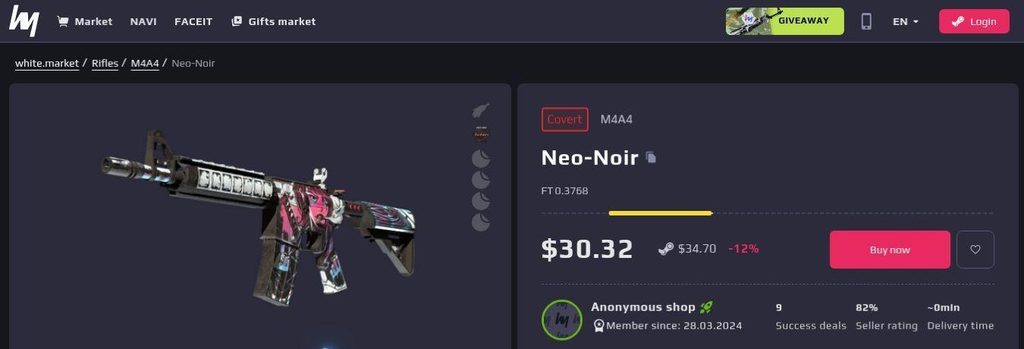
M4A4 | Neo-Noir puts blue and magenta artwork over a grayscale background. The illustrated figure gives it a clear identity, so it can set the direction for a player who prefers artwork to a mostly solid finish.
Glock-18 | Vogue carries a pop-art design with a pair of eyes across the slide. Its bright colours make it a useful T-side counterpart for someone who wants that illustrated mood in pistol rounds too. The two skins have different artwork, but their colour accents give the squad something to build around.
Let each player choose how busy their set becomes. Someone can use Neo-Noir with a quiet secondary weapon; another can lean further into colourful designs. If every item competes for attention, take a look at the whole inventory again before buying the next one.
Inspect the item rather than trusting the label
Exterior names help you narrow a search, but inspect the actual item before choosing it. Float values describe wear, and two listings in the same exterior category can look different. Check the areas that matter to you, especially the artwork you picked the skin for.
Compare a Field-Tested listing with a Minimal Wear alternative. If you like both, decide whether the visual difference justifies the extra cost. Don’t assume the cheapest listing is the best fit either. Existing stickers may cover part of a design you wanted to keep visible.
Use an in-game preview where available to judge how the finish looks under game lighting. A store image is useful for a shortlist; your usual view of the weapon should settle the choice.
Add one shared detail and leave room for taste
A repeated sticker design can connect otherwise different skins. Ask everyone to preview it on their chosen weapon first. The same placement won’t necessarily look good on a pistol slide and an AWP body, so agree on the design while letting players choose its position.
Try the initial set for a few sessions before filling every remaining slot. Notice which weapon you enjoy seeing and which purchase you barely use. Make the next change from that experience.
If you’re still assembling the group, GameTree can help you find people who share your games and playstyle. Once you have a regular stack, choosing a look together is an easy activity between matches. Everyone should feel comfortable joining in with the inventory they have, even if their only contribution is picking the colour.